WordPress core
Security releases applied promptlySmall security releases go on within days. Big version jumps are held back until your plugins have caught up, so an upgrade does not knock out a booking form.

Website Maintenance
Plugin updates, backups and security for North Bay business websites, plus fast edits whenever a storm, a holiday or a new season changes your plans.

Businesses in North Bay, Ontario change with the calendar more than most. With around 312 cm of snow in an average year, a contractor switches from decks to plowing, an outfitter trades boat rentals for ice huts, and a patio restaurant shifts its hours twice a year. Each switch belongs on the website as well as the Google listing. A home page still showing July’s offer in January tells people nobody is minding the shop.
Some changes cannot wait a week. A storm closure, a burst pipe, a holiday schedule, a fire ban that calls off an outdoor event: people check your website first when something feels uncertain, and searches such as “callander ontario fire ban” and “city of north bay snow removal schedule today” show how much this area looks things up on the day. A clear notice posted quickly is a small courtesy customers remember.
Under the surface, a WordPress site is several pieces of software written by different people (the core, your theme, your plugins), and each one releases fixes whenever it likes. Ignore them for a season and something gives way: a booking tool that fails on phones, or a contact form that says “sent” while the messages go nowhere. Maintenance catches both kinds of drift before they cost you work.
Search demand
Google.ca suggestions from 4 October 2026. There are no North Bay suggestions about website upkeep itself, but these show how often people here look for information that changes by the day or the season.
Usually a customer notices before the owner does: a form that went silent, a winter closure notice still up in May, a browser warning in place of the home page. Steady upkeep pays that cost earlier, in small and predictable amounts. North Bay clients also get a short-notice routine: email us that a storm, a holiday or a broken furnace has changed your day, and a plain notice is posted on the site at the first chance we get.
Quiet problems
Any one of these can go unnoticed for a whole season.
A summer patio menu in February, a winter promotion in June, holiday hours from two years back. Visitors take it as a sign the business has closed or stopped caring, and they pick someone else.
Visitors see a thank-you message, yet the email lands in junk or bounces off your mail server. Sending through an authenticated mail service, then posting a test inquiry monthly, plugs the leak.
On a bilingual site the English version gets the new hours and prices while the French one keeps the old ones, or its language link points to a page that no longer exists.
The original developer has gone, nobody remembers the hosting password, and renewal reminders go to an address no one checks. We map out every account and transfer each one to your business.
A plugin left unpatched lets an outsider plant pages and links meant for search crawlers, not people. Rankings sag while the home page looks perfectly normal.
Parts that need care
Core, plugins, server and domain each move at their own pace and fail for different reasons, so we look after them one by one.
Small security releases go on within days. Big version jumps are held back until your plugins have caught up, so an upgrade does not knock out a booking form.
This is where most faults and most intrusions begin. Anything you no longer use is deleted outright, since a switched-off plugin can still be a way in.
Your host runs a version of PHP underneath WordPress. When it falls behind, pages slow down and security fixes stop; better to test and move up on a date you choose than wait for the host to do it unannounced.
You may not log in to these for years, which is exactly why they get forgotten. An expired domain or certificate can take the site and your email offline together, so we keep a list of where each lives and when it falls due.
The work
Every update starts with a backup and ends with someone opening your key pages on a phone to make sure they still work.
Regular copies of your files and database, stored outside your hosting account. Now and then we restore one to a test copy, because an untested backup is only a hope.
Malware scanning, limits on repeated login attempts, accounts for departed staff removed, and quick patching when a flaw in one of your plugins is announced.
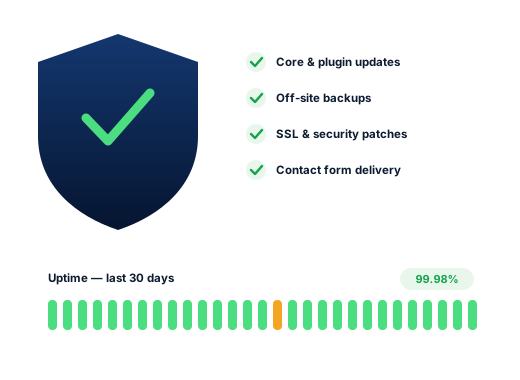
A monitor pings the site every few minutes around the clock, and if it fails to respond a person here gets the alert.
Every contact form and booking tool tried with a dummy message once a month, to confirm it reaches your inbox and not a spam folder.
New hours, a seasonal menu, a storm closure, a new staff member: send it over and it goes up, in English and in any French version you supply.
Done carefully
The standards we keep for every client, in writing, so you can check us against them.
We get a login of our own. You keep the master keys, and you can delete our access any afternoon you choose.
Routine care is part of the monthly plans, so there is no separate maintenance bill. The exception is a site that arrives years behind on updates or already infected; that needs a one-time clean-up, priced after we have looked and before we touch anything.
Ask us about your business
How we work
Four steps that take a North Bay business from hard to find to easy to choose.
We review your site and Business Profile, then check rankings from downtown North Bay and the towns you serve.
We pick the searches worth winning, including the “ontario” versions, and give each one its own page.
Profile, page, content and listing fixes, beginning with the changes most likely to bring calls.
A short monthly note on calls, messages and positions, and what we intend to do next.
Questions
It is folded into the monthly plans, so Starter, Growth and Pro ($300, $500 and $700, billed in Canadian dollars) all include routine upkeep, and none of them locks you in. A site neglected for years, or already compromised, gets its own clean-up quote first.
Yes. Email us the details and a plain notice goes on the site at the first chance we get, with a nudge to mark special hours on Google as well. Once you are open again, it comes off.
Yes. Updates, backups and link checks cover both languages. Text changes in French are placed exactly as your team or translator writes them; we do not translate.
Usually. Step one is a stocktake: which theme and plugins run the site, which accounts own the domain and the hosting, and what is risky or long out of date. Then we propose a catch-up plan, with its price, before starting.
Possibly, and if so it is treated as a single repair job. We remove whatever was planted, patch the hole it came through, roll back to a clean copy where one exists, and ask Google to look again if a warning was attached.
No. The host invoices your business directly, and the hosting account is registered to you. If the current provider lets you down, we can point to a steadier one and handle the move with you.
Further reading
More reading on this subject for owners in North Bay and the towns nearby.
Each service works on its own, and most clients begin with just one.
Every industry here searches in its own way, so every page has its own research.
A free check of your rankings from downtown out to Callander, the listings sitting above yours and the fixes worth doing first.
Request my free audit